

Store
Uniforms, books and stationery the school sells.
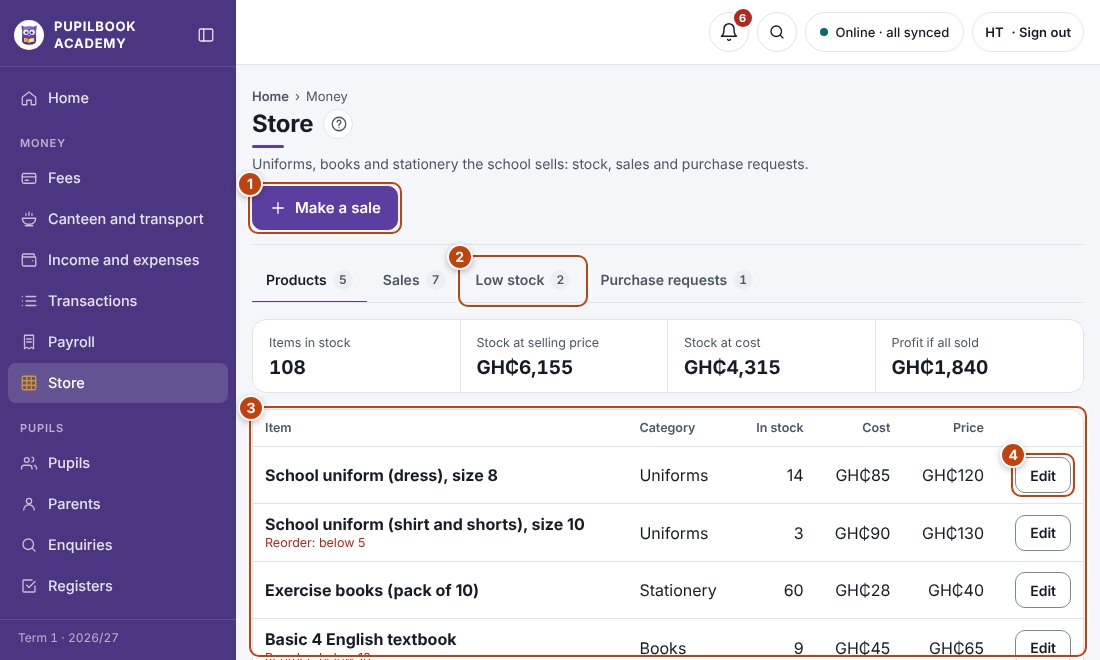
In the picture: 1 Make a sale · 2 Items running low · 3 Products and stock · 4 Edit an item.
Sell an item
Section titled “Sell an item”- Click Make a sale, choose the pupil and items, then save.
- Stock goes down and a receipt is made.
Add or change a product
Section titled “Add or change a product”Open Products. Click Add product, or Edit next to an item.
Restock
Section titled “Restock”- Low stock lists items at or below their reorder level.
- Raise a purchase request. The head teacher approves it, and once bought it is recorded as an expense.
- Many products at once? Use Bulk upload, Store products.