

Report cards
Terminal reports with remarks, approval and printing.
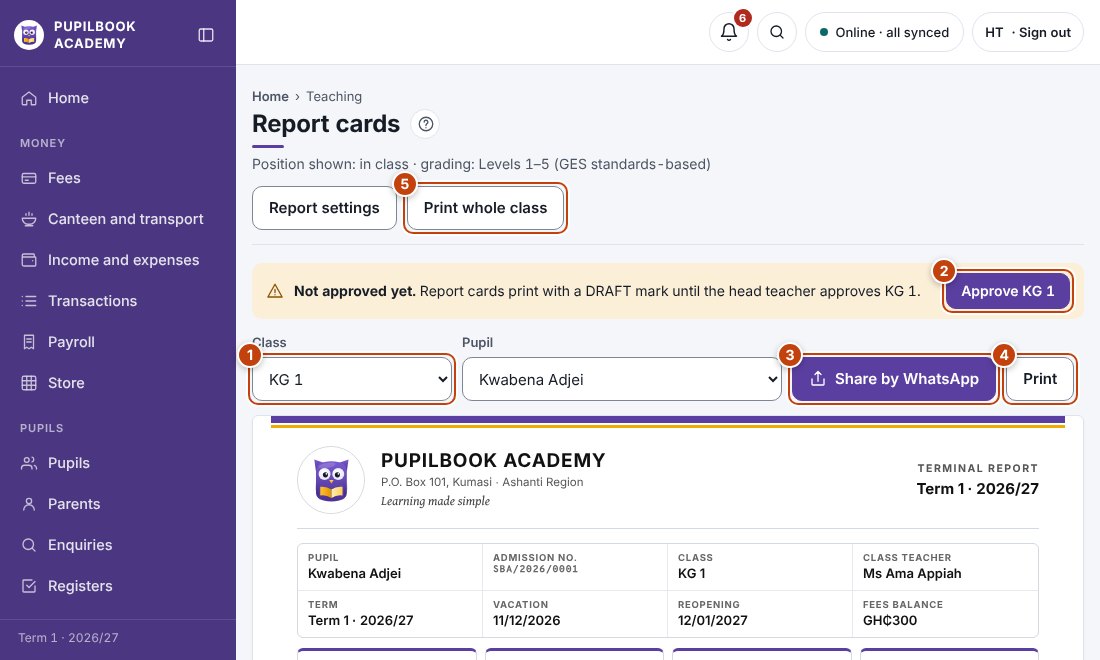
In the picture: 1 Choose the class and pupil · 2 Approve the class · 3 Send by WhatsApp · 4 Print this report card · 5 Print the whole class.
Write remarks
Section titled “Write remarks”- Choose the class and pupil.
- Pick attitude, conduct and interest, then write or pick the class teacher’s and head teacher’s remarks.
Approve and print
Section titled “Approve and print”- The head teacher approves each class. Until then, report cards show DRAFT.
- Click Print for one pupil or Print whole class, or Share by WhatsApp.
Dates and comment banks
Section titled “Dates and comment banks”Report settings holds vacation and reopening dates and the ready-made remarks.
- Past years’ results are in the transcript on each pupil’s profile.